What is Midge
Midge is a free Chrome extension for bug reports: a screenshot or recording with the console, network requests and device details from the same moment.
Midge turns “it’s broken” into a bug report a developer can act on. You take a screenshot or record your tab, and Midge attaches what happened on the page at that moment: console errors, network requests with their status and timing, clicks and page changes, and your browser and operating system. You share it as one link.
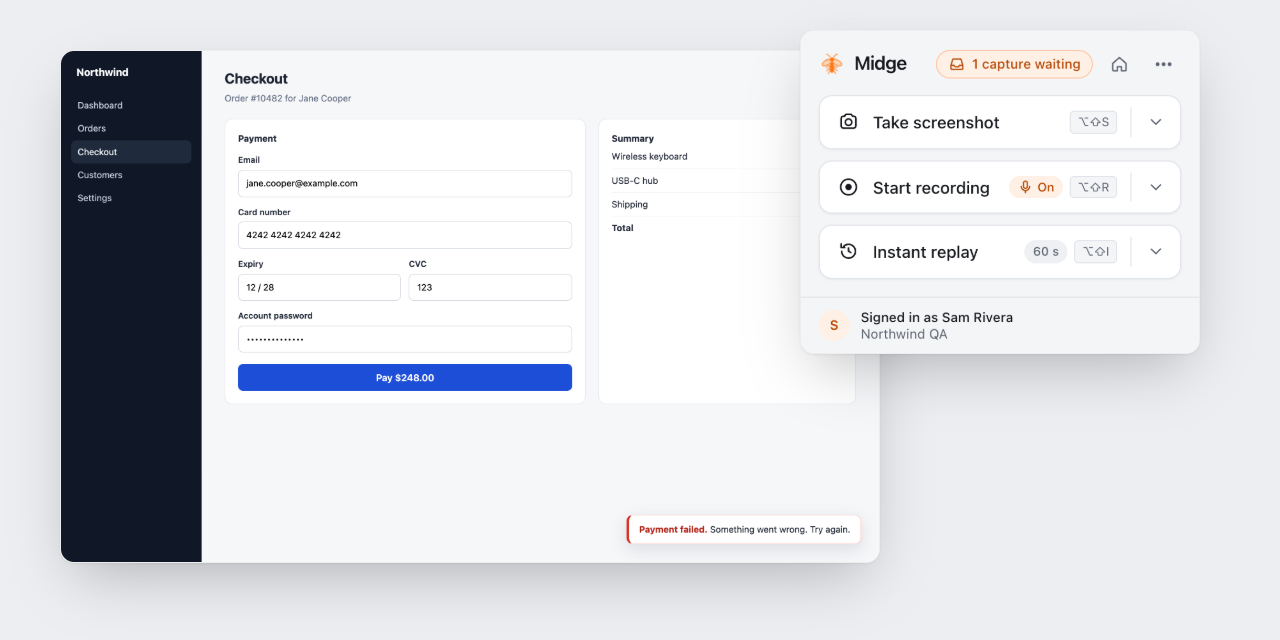
What a report contains
What you saw
A screenshot you can mark up, a recording of your tab or screen, or an instant replay of the last minute.
Console
Errors, warnings and log lines, with stack traces.
Network
Requests with method, status, timing, headers and text bodies, plus WebSocket messages.
Steps and device
Clicks and page changes in order, and the browser, operating system, window size and language.
Passwords, tokens, cookies and keys are removed in your browser before anything is uploaded. See Redaction.
Ways to capture
Screenshot
The visible page or an area you drag over, with arrows, boxes, pen, text and blur.
Tab recording
Up to 15 minutes, with the tab’s sound and your voice if you want.
Screen recording
A window or your whole screen, for bugs outside one tab.
Instant replay
Save the last 30 to 120 seconds after something went wrong.
Get Midge
Chrome extension
For web apps: the tab with its console, network and clicks. Chrome, Edge, Brave and Arc.
Mac app
Record any app on your Mac. macOS 15 or later.
iPhone and iPad
Download on the App Store. Record any app, mark up screenshots. iOS 18 or later.
Android
Coming to Google Play.
Next
Install and connect
Add Midge to Chrome and take your first screenshot in about a minute.