Reference
Settings
Everything you can change in the Midge extension.
Open the popup and choose ⋯ → Settings. The settings open inside the popup.
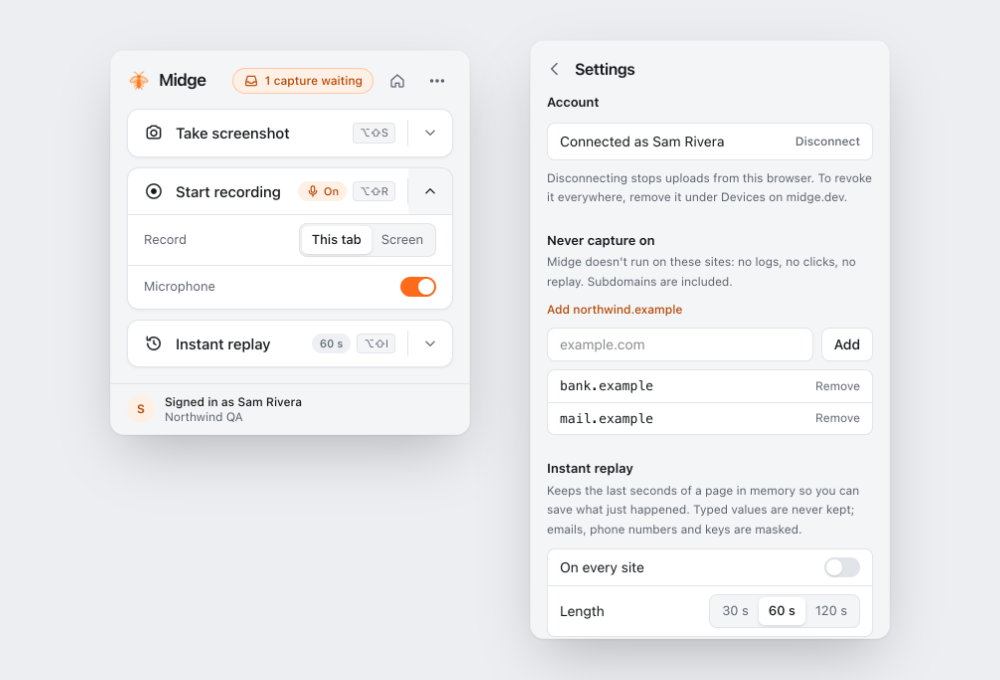
| Setting | What it does |
|---|---|
| Account | Shows the connected account. Disconnect stops uploads from this browser |
| Never capture on | Sites where Midge doesn’t run. See Never capture on |
| Instant replay | On every site or per site, and how many seconds to keep. See Instant replay |
| Microphone | Use your microphone in tab recordings |
| Keyboard shortcuts | The current shortcuts, and a link to change them |
The popup’s cards remember their options too: the screenshot Area and whether you record This tab or the Screen.